
SMALL HOME OFFICE
A small desk works better when the desk is treated as a work surface first and storage space second. The goal is not to fit more things onto the desk. It is to protect the space you actually need to work.
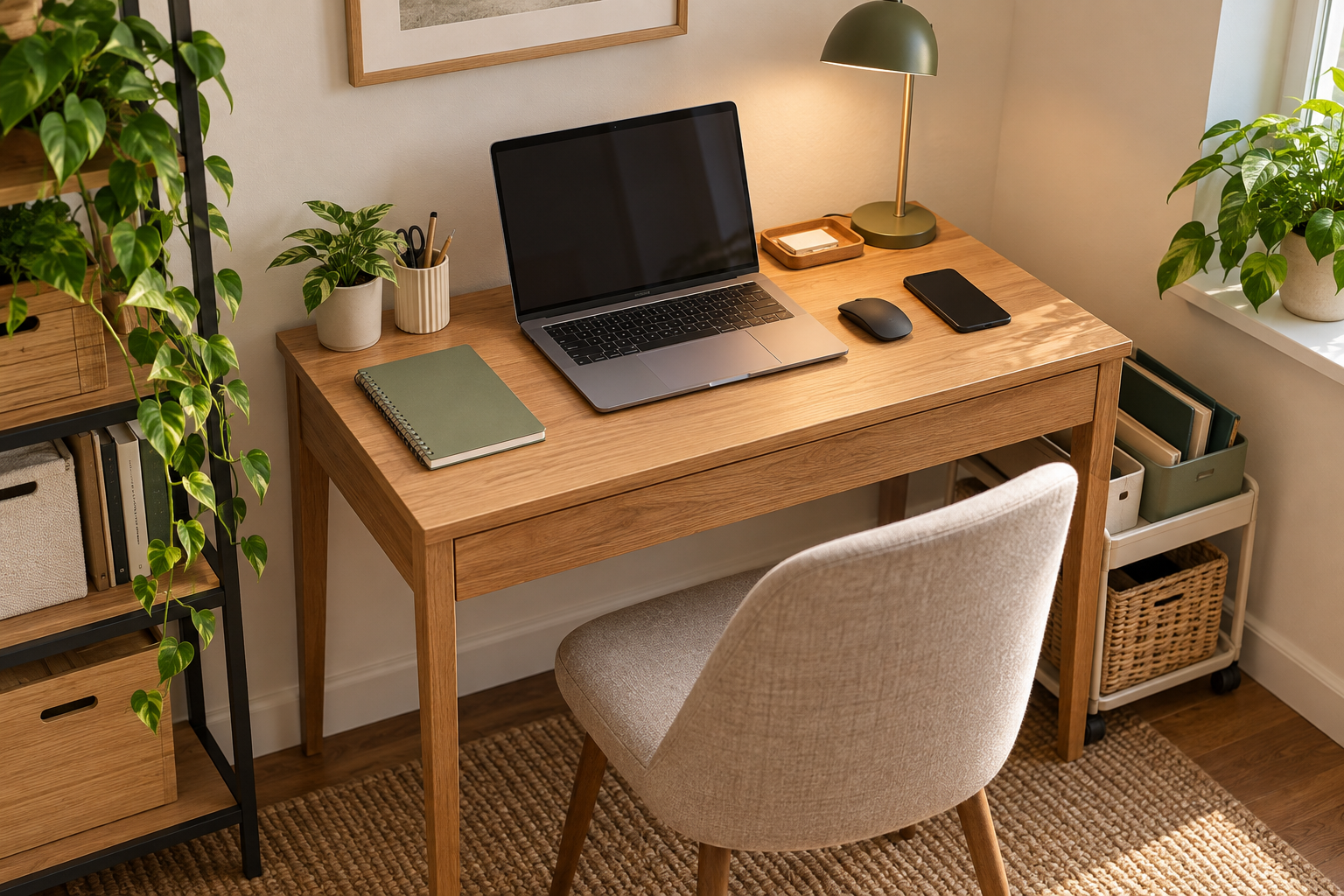
To organize a small desk, first measure the usable work surface and clear everything that does not need to stay there. Then give the desk simple jobs, keep daily-use items within reach, and move suitable storage above, beside, or below the desk. Finish with a quick reset so the main work surface stays available.
The Small Desk System
Why Small Desks Get Crowded
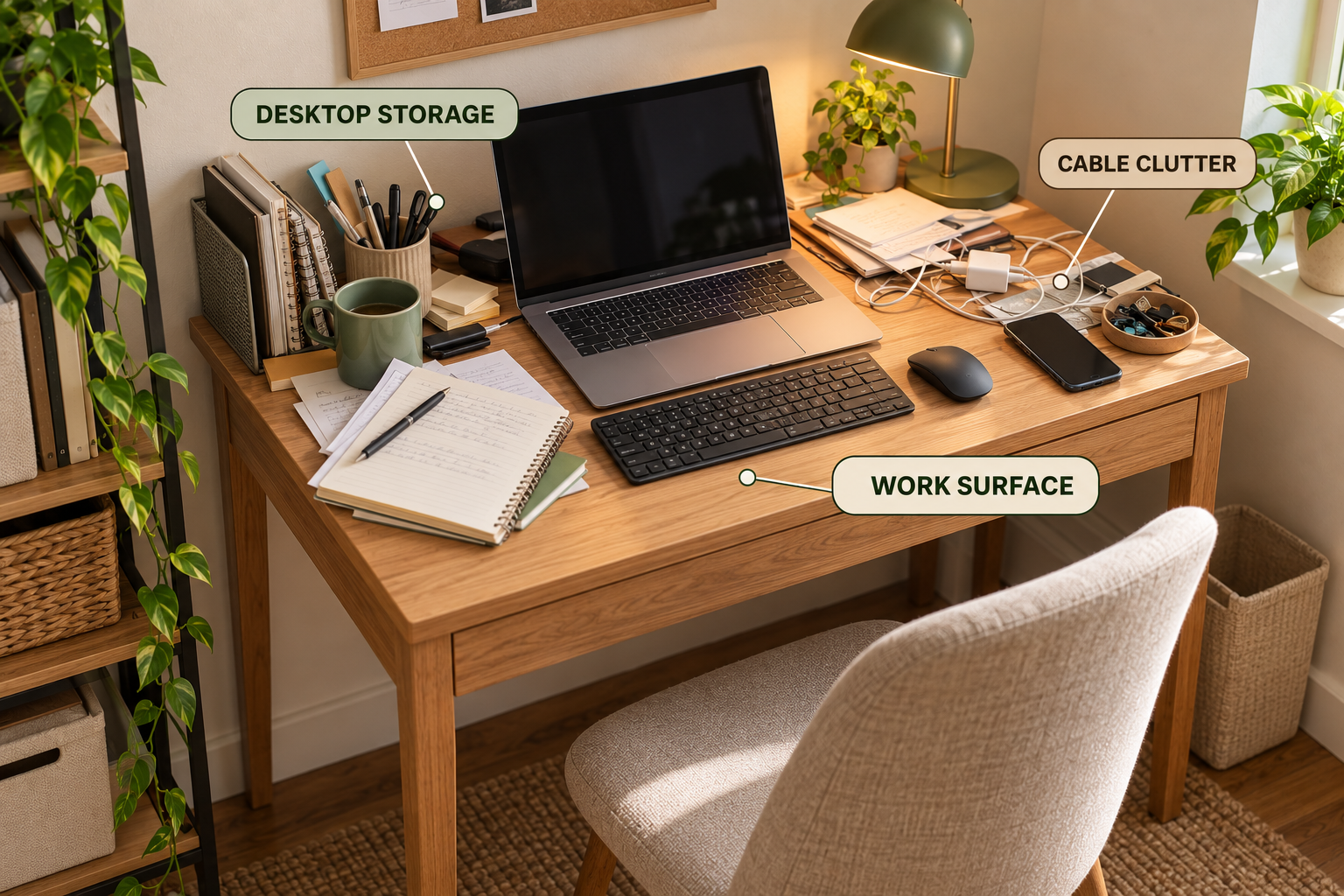
A small desk usually becomes difficult when too many different jobs are competing for the same horizontal surface.
The computer needs space. So do the keyboard, mouse, notebook, papers, phone, stationery, chargers, and other items that accumulate during the day.
The problem is often not the total amount of storage in the room. It is that too much storage has been placed directly on the surface where work needs to happen.
1. MEASURE — Find the Usable Work Surface
Do not decide whether a desk is small by using one universal width or depth. A desk becomes functionally small when the equipment and items you need begin competing for the usable working surface.
Start by measuring the space that remains available after your essential equipment is positioned.
Measure These Areas
- Desk width: the usable left-to-right working area.
- Desk depth: the usable front-to-back working area.
- Equipment footprint: the space occupied by your monitor or laptop, keyboard, mouse, and other essential equipment.
- Clearance: the space needed for your chair, legs, and normal movement.
- Nearby capacity: useful space beside, above, or below the desk.
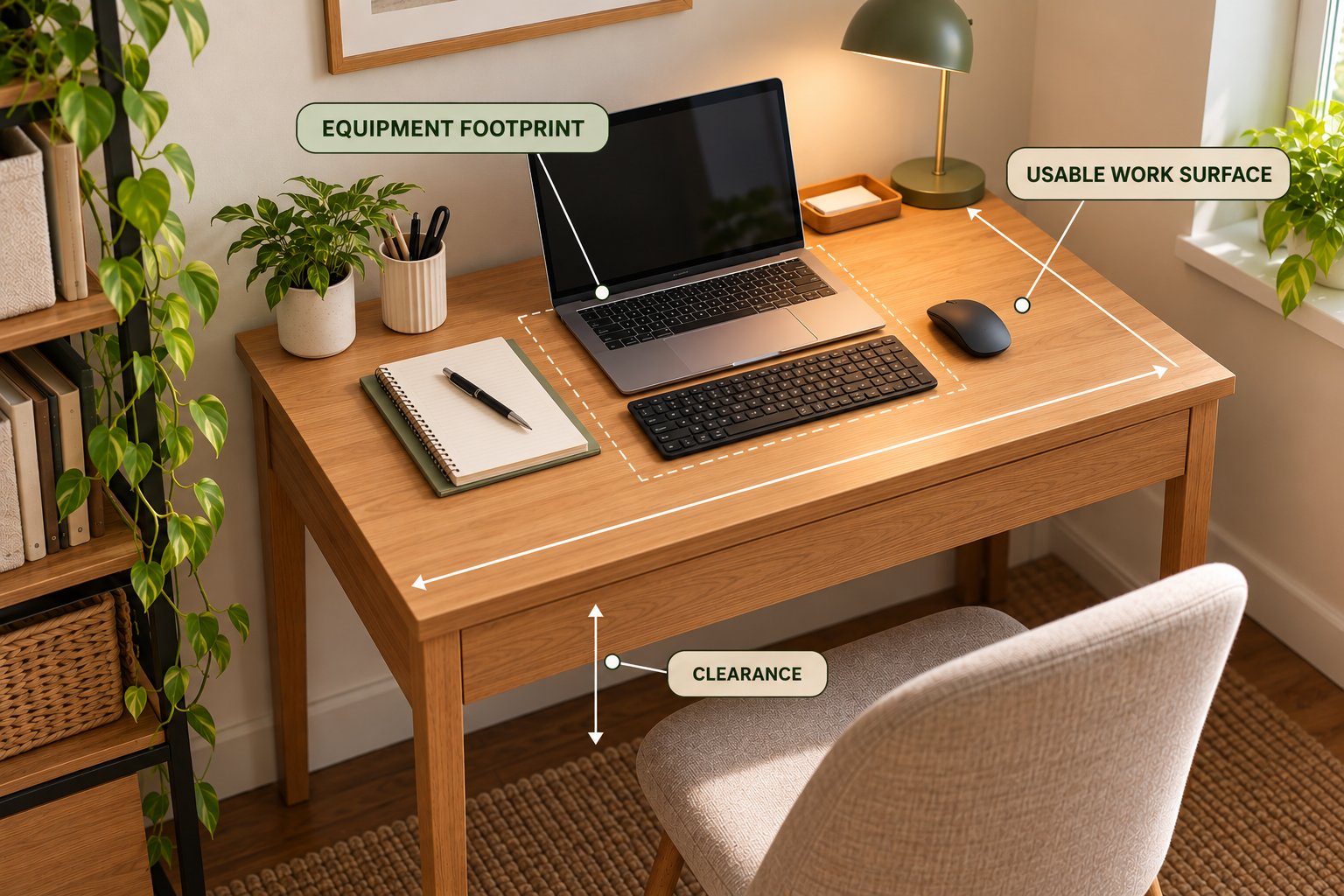
The important measurement is not simply the size of the furniture. It is the amount of surface left for the work you actually do.
2. CLEAR — Empty the Surface
Before buying an organizer, remove everything from the desktop.
This makes it easier to see which items belong on the desk, which belong somewhere nearby, and which do not need to be stored there at all.
Clear the Desk in Three Passes
- Remove unrelated items. Take away anything that belongs somewhere else.
- Remove occasional-use items. These usually do not need permanent desktop space.
- Keep active work items. Return only the things that support the work you regularly do at the desk.
Do not organize clutter before deciding whether the clutter deserves space.
3. PRIORITIZE — Decide What Deserves Desk Space
A small desk needs stronger limits than a large desk because every item takes a larger share of the available surface.
Ask one question for each item:
If you use it during most work sessions, keeping it within easy reach may make sense. If you use it occasionally, look for storage above, beside, below, or near the desk instead.
Keep Nearby
Items used frequently enough to need quick access, but not necessarily enough to occupy the center of the desk.
Move Away
Occasional supplies, reference materials, extra stationery, and unrelated objects that consume valuable work surface.
4. ZONE — Give the Desk Simple Jobs
A small desk does not need many complicated zones. It needs clear boundaries between active work and storage.
Active Work
Keep the main working area available for the task in front of you. This is where your keyboard, mouse, notebook, or other active tools belong.
Daily Reach
Place a small number of frequently used tools near the edge of the work zone rather than spreading them across the surface.
Reference
Papers and reference material that need to stay nearby can use vertical or side storage instead of occupying the central work area.
Reserve Storage
Occasional-use supplies should have a defined home outside the primary working surface.
5. LAYER — Use Space Above, Below, and Beside the Desk
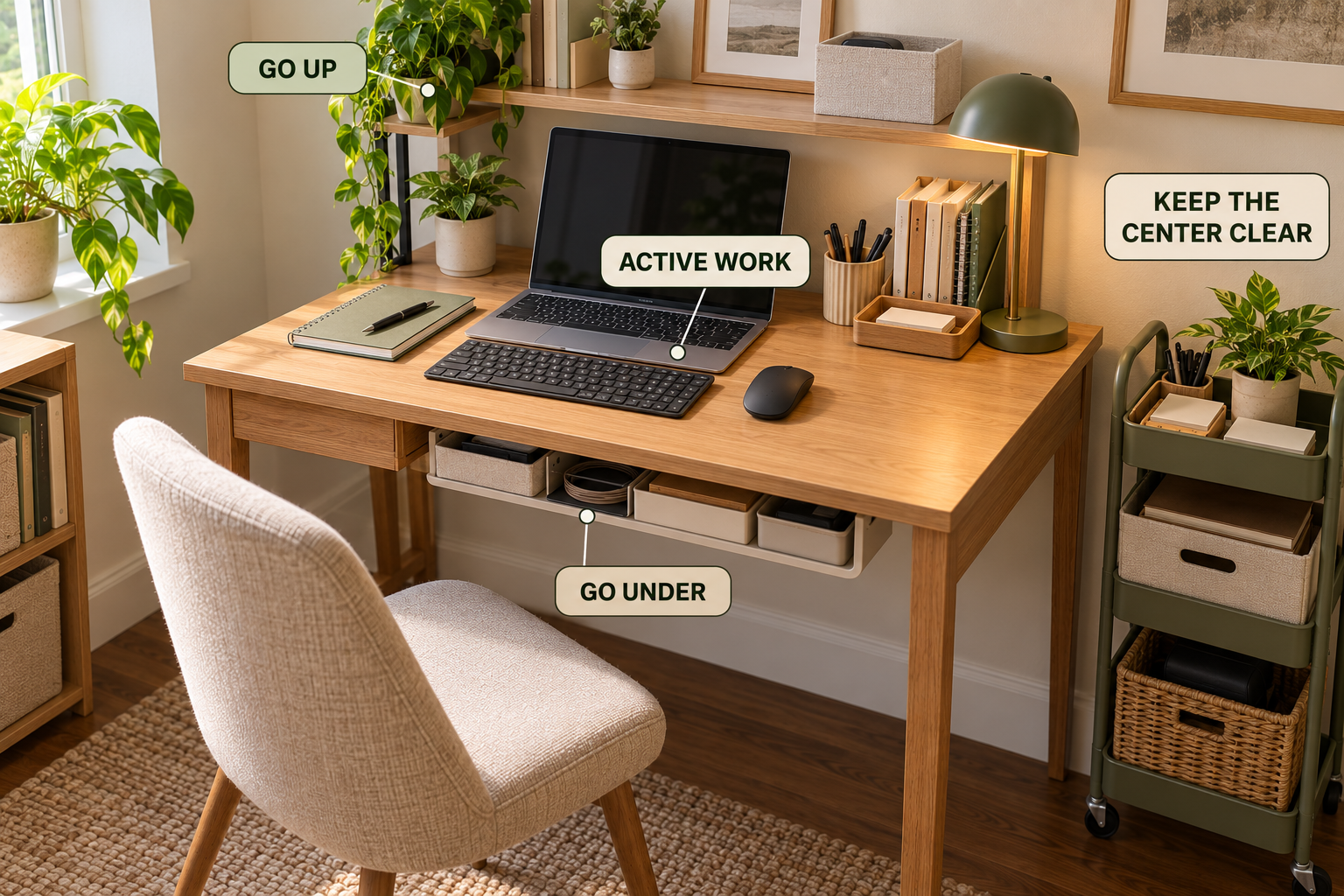
Once the desk has been cleared and zoned, look for storage capacity that does not compete with the working surface.
The first question should not be “What organizer should I buy?” It should be “Where can this item live without taking useful work space?”
| Constraint | First place to look |
|---|---|
| Desk surface is crowded | Move suitable storage upward or beside the desk. |
| Small loose supplies are spreading | Create one compact contained zone. |
| Papers consume work space | Use vertical paper storage. |
| Desk has no drawers | Use nearby, vertical, or under-desk storage. |
| Cables consume the work surface | Route them behind or below the desk. |
| There is no useful wall space | Look for nearby furniture or under-desk capacity. |
Before You Buy an Organizer
- Measure the space where the organizer will actually go.
- Check whether it reduces your usable work surface.
- Check whether it interferes with legroom or chair movement.
- Decide what category of items it will contain.
- Only buy it if it solves a specific storage problem.
Small Desk Without Drawers
A desk without drawers does not automatically need more desktop organizers.
Start by looking at vertical, nearby, and under-desk space. The best location depends on how often you need the items and whether the storage interferes with your working position.
Daily tools can stay close. Occasional supplies can move farther away. The important part is giving each category a predictable home.
Small Desk With a Monitor
A monitor can consume a large portion of a small desk, especially when the desk is shallow.
Before adding anything else, make sure the monitor setup leaves enough room for the keyboard, mouse, and actual work surface you need.
A monitor riser can sometimes create useful space beneath the screen, but only if the added height and footprint work with your equipment and viewing position.
Protect the Working Surface
Once the desk is organized, protect the area that makes the desk useful.
Avoid turning the back or center of the desk into permanent storage just because there is technically room there.
A small desk should feel ready to use. You should not have to move several unrelated objects before starting your main task.
Can you sit down and begin your main task without first moving unrelated items?
Two Useful Products for a Small Desk
Products should solve a specific constraint rather than add more things to the desktop. These two options fit the Our storage-layer approach used in this guide.
Monitor Stand / Riser
A monitor riser can make use of vertical space and potentially create useful storage underneath the monitor, provided its size and height work with your desk and equipment.
Compact Under-Desk Storage Solution
Under-desk storage can keep occasional-use items away from the main work surface while preserving quick access. Check dimensions and leg clearance before installing it.
As an Amazon Associate, Simply Tidy Home may earn from qualifying purchases made through links on this page.
6. RESET — Keep the Desk Ready
A small desk stays organized when the reset is simple enough to repeat.
The goal is not to make the desk look perfectly empty. The goal is to return it to a state where the next work session can begin immediately.
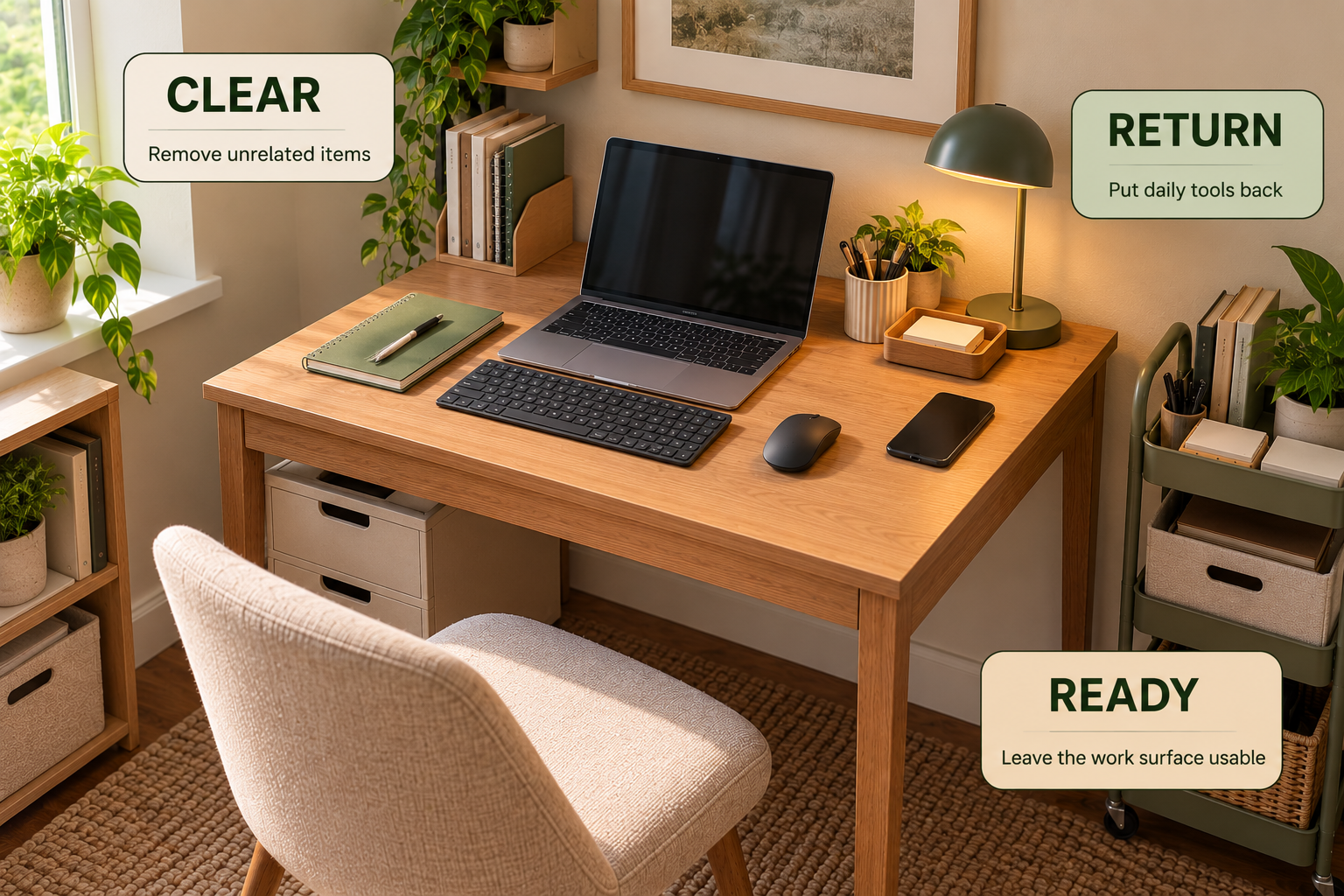
Clear
Remove items that do not belong to the current work zone.
Return
Put daily tools and occasional supplies back in their assigned locations.
Ready
Leave the main work surface open enough to begin the next task.
Use This Decision Flow When the Desk Still Feels Crowded
Small Desk Decision Flow
Is the working surface crowded?
Clear unrelated and occasional-use items first.
Is it still crowded?
Reduce the number of categories permanently stored on the desk.
Do you still need storage?
Look above, beside, or below the desk before using more of the working surface.
No drawers?
Use vertical, nearby, or under-desk storage where it does not interfere with movement.
Still difficult?
Re-measure the equipment footprint and reconsider how many categories need to live at the desk.
Desk stays clear?
Keep the system and use the short reset at the end of each work session.
Common Small Desk Organization Mistakes
Adding Organizers Before Clearing
More containers cannot solve the problem if unnecessary items are still occupying the desk.
Using the Desk as Storage
The available surface can disappear quickly when papers, supplies, and occasional-use items become permanent desktop residents.
Ignoring Equipment Footprint
A monitor, laptop, keyboard, and mouse already consume a significant part of a compact desk. Storage needs to account for that space first.
Blocking Legroom
Under-desk storage only helps when it does not interfere with normal chair movement or leg clearance.
Frequently Asked Questions
How do I organize a small desk?
Measure the usable work surface, clear unnecessary items, decide what deserves desk space, create simple work and storage zones, and move suitable storage above, beside, or below the desk. Finish with a repeatable reset.
How do I maximize space on a small desk?
Protect the central working surface and use vertical, nearby, or under-desk space for suitable storage. Start by reducing what needs to remain on the desktop rather than simply adding more organizers.
How do I organize a small desk without drawers?
Use vertical storage, nearby storage, or carefully selected under-desk storage. Keep frequently used tools close and move occasional-use supplies away from the primary working surface.
What should I keep on a small desk?
Keep the equipment and tools you regularly need for active work. Items used occasionally can usually move to nearby, vertical, or under-desk storage if that makes the work surface easier to use.
How do I keep a small desk from getting cluttered?
Give every category a defined home, limit what permanently stays on the desk, and use a short end-of-day reset. The easiest desk to maintain is one where the work surface has a clear job.
How do I organize a small desk with a monitor?
Start with the monitor and other essential equipment footprint. Then protect enough room for the keyboard, mouse, and actual work. A monitor riser may create useful vertical capacity if its size and height work for your setup.
Related Guides
A small desk does not need more things on it.
It needs a clear work surface, defined storage zones, and a reset system that makes the next work session easy to start.